Key Takeaways: Secure file sharing requires client-side encryption, self-destructing links, and granular access controls. This article is for freelancers, lawyers, healthcare providers, and anyone who needs to share sensitive files safely in 2026. You will learn how encryption works, why expiration matters, and the best practices to adopt immediately.
Why Secure File Sharing Matters More Than Ever in 2026
In 2026, sharing a file is as routine as sending a text message. We send contracts to clients, tax returns to accountants, and medical records to specialists without a second thought. But here is the uncomfortable truth: every time you attach a sensitive document to an email or upload it to a generic cloud folder, you are rolling the dice with your data.
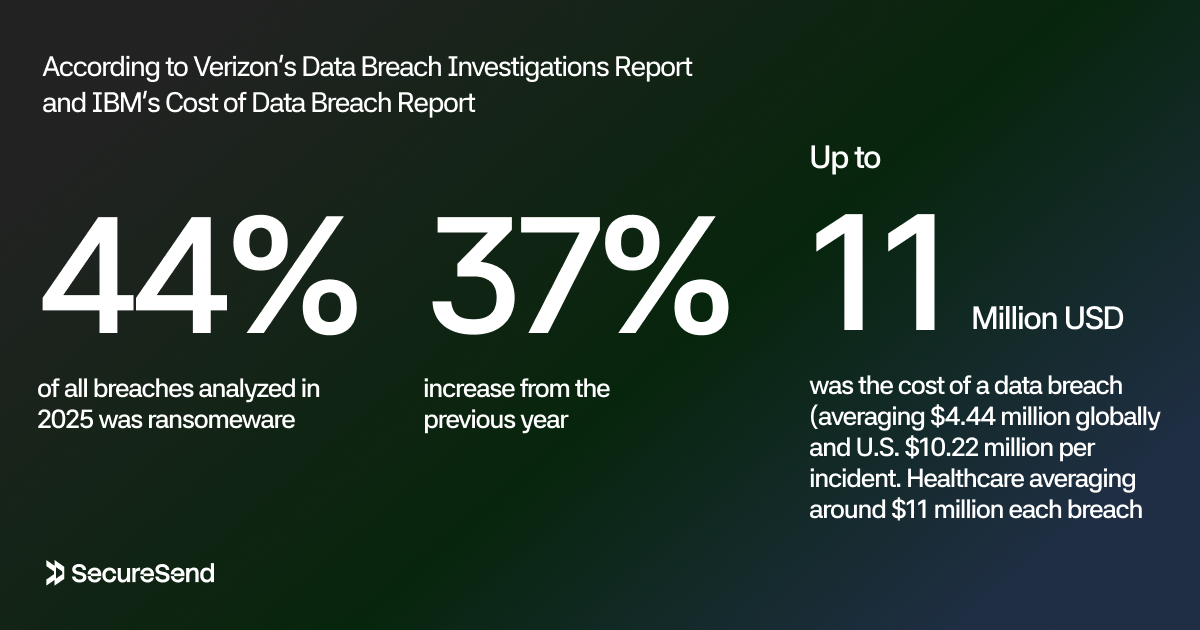
The internet is not safe. Ransomware appeared in 44% of all breaches analyzed in 2025, a 37% increase from the previous year, according to Verizon's Data Breach Investigations Report. The average cost of a data breach now sits at $4.44 million globally, with U.S. organizations facing an average of $10.22 million per incident, per IBM's Cost of Data Breach Report. Healthcare breaches remain the costliest, averaging around $11 million each.
Secure file sharing is no longer a luxury reserved for government agencies and Fortune 500 companies. It is a necessity for anyone who handles contracts, financial documents, identity records, or personal information. Whether you are a freelancer sending an NDA, a lawyer sharing case files, or a patient transmitting medical records, the way you share files directly impacts your privacy, your compliance standing, and your peace of mind.
This guide will walk you through everything you need to know about secure file sharing in 2026. You will learn how encryption works, why self-destructing links matter, how access controls protect your data, and what best practices you should adopt immediately.
The State of File Sharing Threats: What the Data Tells Us
To understand why secure file sharing matters, you need to understand what you are up against. The threats you face in 2026 are more aggressive, more sophisticated, and more expensive than ever before.
Ransomware and Data Exfiltration Are Now the Norm
Ransomware is no longer just about locking you out of your files. Modern attacks combine system encryption with data exfiltration, a tactic known as double extortion. Attackers steal your files first, then encrypt them, threatening to publish sensitive data unless you pay. When attackers exfiltrated data in 2025, the average extortion cost reached approximately $5.08 million.
Human Error Remains the Weakest Link
Human factors drive 60% to 68% of breaches. Phishing and social engineering accounted for 16% of breaches in 2025, becoming the top attack vector according to IBM's Cost of Data Breach Report. Stolen or compromised credentials contributed to another 10% of incidents, with an average dwell time of 292 days before detection. That means an attacker could be reading your shared files for nearly a year before you notice.
Security awareness training helps, reducing phishing susceptibility from 33.1% to 4.1% within 12 months, according to KnowBe4's 2024 Phishing by Industry Report. No amount of training eliminates the risk entirely. The only reliable defense is to make the data itself unusable if it falls into the wrong hands.
Third-Party and Supply Chain Risks Are Everywhere
Third-party risks affect 99% of major corporations. When you share files through a service you do not fully control, you inherit that service's security posture and vulnerabilities. A single misconfigured cloud storage bucket or a compromised employee account at your file-sharing provider can expose every document you have ever uploaded.
What the Numbers Mean
The data is unambiguous: the internet is hostile, threats are evolving, and the cost of a mistake is measured in millions of dollars. Secure file sharing is about acknowledging reality and taking proportionate steps to protect what matters. Paranoia is not required.
The first and most important step is understanding the technology that makes secure sharing possible.
Understanding Encryption: The Foundation of Secure File Sharing
Encryption is the foundation of secure file sharing. When done correctly, it transforms your sensitive files into unreadable ciphertext that is useless to anyone without the decryption key. Even if an attacker intercepts your file, breaches the server, or steals a database, properly encrypted data remains protected.
How Encryption Protects Your Files
Encryption uses mathematical algorithms to scramble data. Encryption at rest protects files when they are stored on a server or device. If a data center is breached or a laptop is stolen, encrypted files remain inaccessible. Encryption in transit protects files while they are moving across the internet. Without transit encryption, files can be intercepted and read by anyone monitoring the network.
AES-256-GCM: The Gold Standard
The current gold standard for symmetric encryption is AES-256-GCM. AES stands for Advanced Encryption Standard, 256 refers to the key length in bits, and GCM (Galois/Counter Mode) provides both encryption and authentication, ensuring the data has not been tampered with.
AES-256 is bank-grade encryption. It is approved by the NSA for protecting top-secret information and is widely regarded as computationally infeasible to break using brute force. No existing or foreseeable technology can crack it in a human lifetime.
Client-Side Encryption: The Strongest Protection
Not all encryption is created equal. The most secure approach is client-side encryption, where files are encrypted on your device before they ever leave your computer or phone. The encryption key never travels to the server. The service provider cannot read your files. Even if the provider's entire infrastructure is compromised, your data remains encrypted and unreadable.
This is fundamentally different from server-side encryption, where you upload an unencrypted file and the provider encrypts it on their servers. In that model, the provider holds the keys. A breach, a subpoena, or a rogue employee can still expose your data. Client-side encryption removes that trust requirement entirely.
Encryption is necessary but not sufficient. A file encrypted with AES-256 but shared through an insecure link or stored indefinitely on a public server is still vulnerable. Encryption must be paired with access controls, expiration policies, and secure delivery mechanisms to provide complete protection.
Digital Signatures: Proving Integrity and Authenticity
Encryption keeps your files confidential, but it does not prove they arrived unchanged. Digital signatures solve this by creating a cryptographic fingerprint of the file that is tied to the sender. If even a single character is altered in transit, the signature fails verification.
This matters enormously for contracts, legal agreements, financial reports, and medical records. A signed document gives the recipient confidence that the file came from you and was not tampered with by an attacker or a compromised server. While not every file sharing scenario requires formal digital signatures, understanding the difference between confidentiality (encryption) and integrity (signatures) helps you choose the right protections for the right documents.
A Note on Password-Protected Archives: A Common but Flawed Stopgap
Many people default to password-protected ZIP files or encrypted archives from tools like 7-Zip when they need to send something sensitive. These can work in a pinch, but they come with serious limitations. Older archive formats use weak encryption schemes that can be cracked. Password strength is critical, and a short or reused password can be guessed or brute-forced in minutes. There is no expiration control, no activity tracking, and no way to revoke access once the archive is sent.
If you use this approach, select modern encryption algorithms, use a unique strong passphrase, and transmit the password through a separate channel from the archive itself. But for regular or large-scale file sharing, purpose-built secure platforms that integrate encryption with access controls, expiration, and logging are far more reliable. They remove the guesswork and automate the protections that archives leave entirely up to you.
Encryption, signatures, and strong passwords are essential building blocks. But even the most securely encrypted file can become a liability if the link to access it remains active forever. That is where time-based controls come in.
The Power of Self-Destructing Links: Control When Your Files Disappear
One of the most powerful features of modern secure file sharing is the self-destructing link. Instead of leaving your files accessible forever, you set a timer. When the clock runs out, the link stops working and your exposure window closes.
Why Expiration Matters
Every file that remains accessible online is a file that can be breached, leaked, or discovered later. Old links get forwarded to the wrong people. Former employees retain access to documents they should not see. Attackers scrape the internet for forgotten files and exploit them months after the original share.
A self-destructing link eliminates this risk by design. You decide how long the file is available: 24 hours for an urgent contract, seven days for a project review, 30 days for a financial report. Once the period expires, access is revoked automatically.
One-Time Download Links
For maximum security, some secure file sharing services offer one-time download links. The recipient can access the file exactly once. After that single view or download, the link self-destructs immediately, regardless of the expiration date. This is ideal for highly sensitive documents like password lists or confidential merger details.
The Importance of Access Controls: Who Can See What, and for How Long
Encryption protects your files from outsiders. Access controls protect your files from the wrong people, including recipients who no longer need access and situations where sharing scope changes.
Password Protection
Password protection adds a second layer of defense to your shared links. Even if someone obtains the URL, they cannot access the files without the password you set separately. The most secure approach is to share the link through one channel, such as email, and the password through a different channel, such as a text message.
Download Limits
Download limits let you control how many times a file can be retrieved. You might set a single download for a confidential report or unlimited downloads for a public brochure. This prevents scenarios where a shared link is forwarded broadly without your knowledge.
Immediate Revocation
Sometimes plans change. A deal falls through. An employee leaves. In these situations, you need the ability to revoke access instantly, with a single click. Immediate revocation ensures that you retain full control over your shared files even after the link has been sent.
Activity Tracking
Knowing who accessed your files, when, from where, and on what device is accountability, not surveillance. Activity tracking helps you verify that your files reached the intended recipient, detect unusual access patterns, and respond quickly if something looks wrong.
Multi-Factor Authentication (MFA)
Passwords are a good start, but they are not enough on their own. If a recipient's email account is compromised, any password sent to that inbox is compromised too. Multifactor authentication (MFA) closes this gap by requiring something the user knows (a password) plus something they have (a phone, a hardware key, or a one-time code).
For sensitive file sharing, MFA should be enforced whenever possible. Some platforms now support email-based one-time passwords (OTP): the recipient enters their email address, receives a time-limited verification code, and must enter it to unlock the files. This creates a binding between the recipient's identity and their access, and it can be layered alongside link passwords and one-time visit rules for defense in depth. When evaluating a secure file sharing solution, look for services that offer MFA options or email OTP protection as part of their access control toolkit.
Best Practices for Sharing Sensitive Files Online
Technology is only as effective as the habits behind it. Here are the best practices you should adopt every time you share sensitive files online in 2026.
1. Encrypt Before You Upload
Use a service that encrypts files on your device before uploading them to the cloud. Look for terms like "client-side encryption," "end-to-end encryption," or "zero-knowledge architecture."
2. Set Expiration Dates by Default
Never share a sensitive file without an expiration date. Default to the shortest practical timeframe. You can always create a new link if needed.
3. Use Passwords and One-Time Rules for Highly Sensitive Data
For documents containing financial data, personal identification, legal agreements, or proprietary business information, always enable password protection. For the most sensitive files, use one-time visit or one-time download rules.
4. Share Links and Passwords Through Separate Channels
Do not send the link and the password in the same email. If the email is compromised, the attacker gets both. Send the link via email and the password via SMS or a secure messaging app.
5. Verify Recipients Before Sharing
Double-check the recipient's email address before sending. Autocomplete errors are a common cause of accidental data leaks.
6. Track Access and Revoke Promptly
Monitor who accesses your shared files. If you see unexpected activity, revoke the link immediately. It is better to resend a link to the right person than to leave a compromised link active.
7. Avoid Generic Cloud Storage for Sensitive Data
Consumer-grade cloud storage services are convenient, but they are not designed for sensitive file sharing. They often lack client-side encryption, expiration controls, and detailed access logs. Use a dedicated secure file sharing service instead.
8. Classify Your Data by Sensitivity
Not every file needs the same level of protection. A public marketing brochure does not require encryption and expiration. A signed NDA does. Classify your files into categories such as public, internal, confidential, and restricted, and apply security controls proportionally.
9. Educate Your Team and Clients
Security is a shared responsibility. Make sure colleagues, clients, and partners understand the basics: do not forward secure links, do not download files to unsecured devices, and report suspicious access immediately.
10. Assume Breach and Plan Recovery
Adopt an "assume breach" mindset. Encrypt your files as if the server will be compromised tomorrow. Set expirations as if the link will be leaked next week. Maintain backups of critical documents in a separate, secure location.
Even the best practices in this guide will fail if your security tools are too difficult to use.
The Security-Usability Balance: Why Overly Complex Tools Backfire
There is a paradox in security: the more burdensome your controls, the more likely people are to bypass them. If your secure file sharing process requires installing software, memorizing multiple passwords, and jumping through approval hoops, users will revert to what is familiar: attaching files to email, dropping them in consumer cloud folders, or sending them through unsecured messaging apps. This is shadow IT, and it is one of the most common ways sensitive data leaks.
The lesson is that effective secure file sharing must be as easy as insecure sharing. The best solutions make secure behavior the default behavior. Upload a file, pick an expiration date, set a password if needed, and share the link. Your recipient opens it in their browser, and the file decrypts locally. No plugins, no corporate VPN, no IT ticket required. When security feels invisible, people use it. When it feels like an obstacle, they work around it.
This is why dedicated secure transfer tools exist. They strip away the complexity of enterprise-grade systems while preserving the protections that matter: encryption, expiration, access controls, and audit trails. For individuals, freelancers, and small teams, this balance is not a nice-to-have. A security policy that works looks very different from one that exists only on paper.
With the right tool in place, the next step is matching your security approach to your industry's specific requirements.
Choosing the Right Secure File Sharing Solution
With so many options available, how do you choose the right secure file sharing solution for your needs? Here are the criteria that matter most in 2026.
Most people default to what they already have: attaching files to an Outlook email, sharing a Google Drive link, dropping documents in a Dropbox folder, or sending a quick WeTransfer. These tools are excellent for collaboration, storage, and casual sharing. But they were not designed for sensitive data. They typically lack client-side encryption, self-destructing links, granular access controls, and detailed audit logs. For tax returns, contracts, medical records, and identity documents, you need a tool built specifically for security—not one that treats it as an afterthought. The smartest approach is not to abandon the tools your team uses daily, but to layer a dedicated secure transfer service on top of them for the files that actually matter.
Must-Have Security Features
- Client-side encryption with AES-256-GCM or equivalent
- Self-destructing links with customizable expiration (24 hours to 30 days or custom)
- Password protection for every shared link
- One-time visit or one-time download options
- Download limits to control distribution
- Immediate revocation with a single click
- Activity tracking with timestamps, locations, and device information
- No storage of original files on the provider's database (encrypted only)
Usability and Compliance
Security features are worthless if they are too complicated to use. The best solutions make encryption invisible: upload, configure settings in a few clicks, and share. Your recipient opens the link in their browser, and the file decrypts locally on their device. No software installation, no technical expertise, no friction.
If you operate in a regulated industry, verify that the solution aligns with your compliance requirements. Transparent encryption architecture and clear data handling practices are the strongest indicators of a trustworthy provider. Compliance certifications such as SOC 2 or ISO 27001 can provide additional assurance, but they should supplement, not replace, a verifiable technical security model.
Secure file sharing should not require an enterprise budget. Look for solutions that offer a free tier for casual usage, a standard tier for regular professionals, and a pro tier for high-volume users.
Looking Ahead: The Future of Secure File Sharing
The tools and practices described in this guide represent the state of the art in 2026, but the threats you face never stand still. Three emerging trends are worth watching.
Post-Quantum Cryptography. Quantum computing is not yet a practical threat to AES-256, but researchers are already developing encryption algorithms designed to resist quantum attacks. For data that must remain confidential for decades—government records, long-term intellectual property, archival health data—forward-looking organizations are beginning to evaluate post-quantum-ready platforms.
AI-Assisted Threat Detection. Artificial intelligence is increasingly used to spot anomalous access patterns in real time. If a shared file is accessed from an unusual location, at an odd hour, or by a device that has never been seen before, AI systems can flag the event and trigger automatic revocation. This moves security from reactive to predictive.
Confidential Computing. A new class of technologies uses hardware-based secure enclaves to protect data while it is being processed, not just while it is stored or in transit. This closes a long-standing gap: even the service provider cannot see the contents of files while running malware scans or generating previews.
These innovations will not replace the fundamentals—encryption, access controls, and user awareness—but they will layer additional resilience on top of them. The organizations and individuals who stay informed and adopt proven protections today will be best positioned to integrate these advances as they mature.
With a solid grasp of both current best practices and future directions, you may still have specific questions about how secure file sharing works in practice. The following FAQ addresses the most common ones.
Conclusion: Take Control of Your File Security Today
The threats are real, the costs are staggering, and the stakes are personal. In 2026, secure file sharing is a professional responsibility. Every contract you send, every medical record you transmit, every financial document you share is an opportunity to either protect your data or expose it.
Protecting yourself is easier than ever. You need three things: encryption that happens before your files leave your device, links that expire when they are no longer needed, and controls that let you decide who sees what and for how long.
Adopt the best practices in this guide. Encrypt before you upload. Set expiration dates by default. Use passwords and one-time rules for your most sensitive data. Share links and credentials through separate channels. Track access and revoke promptly. Choose a secure file sharing solution that puts your security first, not as an afterthought.
Your sensitive information deserves better than an email attachment or an open cloud folder. Take control of your file security today.
Ready to share files with bank-grade encryption, self-destructing links, and complete access control? Create your first secure file sharing link with SecureSend and experience effortless, ultra-secure file sharing built for the threats of 2026.
FAQ: Common Questions About Secure File Sharing
What is the most secure way to share files online?
The most secure way is through a service that uses client-side AES-256 encryption, self-destructing links, password protection, and one-time download options. This ensures your files are encrypted before leaving your device and automatically removed after a set period.
Is email a safe way to send sensitive documents?
No. Standard email is not encrypted end-to-end by default. Emails can be intercepted, forwarded, stored indefinitely on mail servers, and accessed by attackers who compromise an account. For sensitive documents, always use a dedicated secure file sharing service.
What does AES-256 encryption mean?
AES-256 is the Advanced Encryption Standard with a 256-bit key length. It is the same encryption standard used by banks, governments, and military organizations. It is considered computationally impossible to break with current technology, making it the gold standard for protecting sensitive data.
How do self-destructing links work?
Self-destructing links are shared URLs that automatically expire after a set timeframe, such as 24 hours, 7 days, or 30 days. Once expired, the link no longer works and the files cannot be accessed. Some services also offer one-time links that self-destruct after a single visit or download.
Can encrypted files still be hacked?
Properly encrypted files with strong keys and modern algorithms like AES-256-GCM cannot be decrypted by brute force. However, encryption does not protect against all risks. If your password is weak or your sharing link is forwarded to the wrong person, the file can still be compromised. Encryption must be paired with access controls and secure sharing practices.
What industries need secure file sharing the most?
Healthcare, legal, financial services, real estate, and government are the most regulated and highest-risk industries. However, anyone who shares contracts, tax documents, identity records, or proprietary business data should use secure file sharing to protect against identity theft, fraud, and regulatory penalties.
Is client-side encryption better than server-side encryption?
Yes. Client-side encryption means your files are encrypted on your device before they are uploaded to any server. The service provider never sees your unencrypted data and cannot access your files. With server-side encryption, the provider encrypts your files after receiving them, which means they have access to your data before encryption and hold the decryption keys.
How can I tell if a file sharing service is truly secure?
Look for these indicators: client-side encryption, AES-256 or equivalent, transparent security architecture, no storage of original unencrypted files, customizable expiration and access controls, password protection, and activity tracking. Compliance certifications can provide additional trust signals, but a platform that publishes its encryption architecture and invites independent scrutiny often demonstrates more confidence than one that hides behind vague marketing claims.
Sources: IBM Cost of Data Breach Report 2025, Verizon Data Breach Investigations Report 2025, KnowBe4 Phishing by Industry Report 2024, Salt Security State of API Security Report 2025, CrowdStrike 2025 Global Threat Report.